Improved App Management – Manifest vs. Locally Installed Apps
Release Date: September 5, 2025
Product: Admin & Employee Portals
What’s New?
We’ve made significant improvements to how software applications are displayed and managed across devices in Swif.ai. Our latest update introduces a clear distinction between apps installed by your IT team (via manifest) and those installed locally by users. This enhancement brings greater transparency, compliance, and control to your device management experience.
Key Features
1. Clear App Status: Managed vs. Locally Installed
New Columns in Admin Portal:
Instantly see which apps are managed-installed (via manifest) and which are self-installed by users.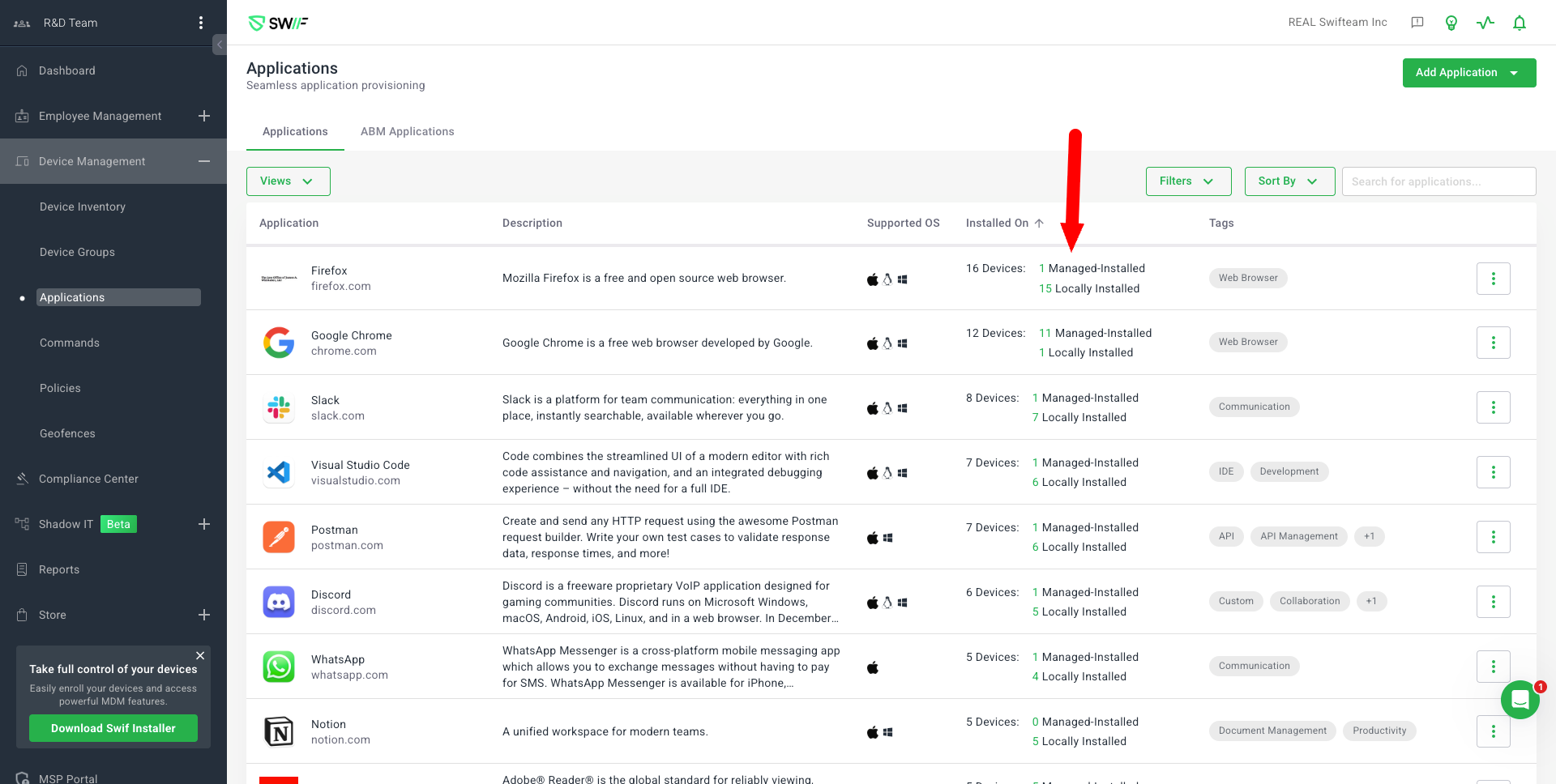
Device-Level Clarity:
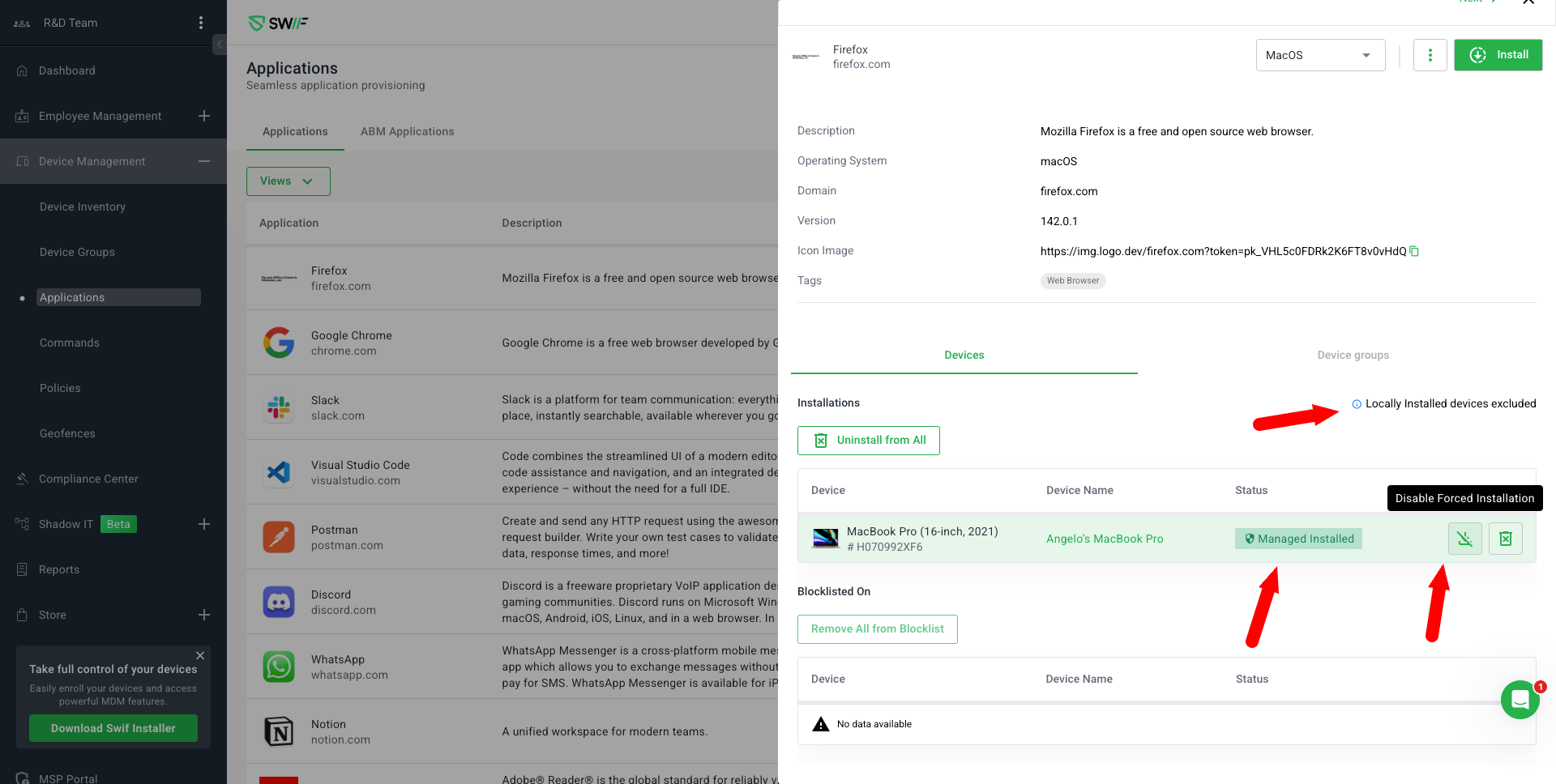
For each device, you can now view whether an app was installed by IT or by the user themselves.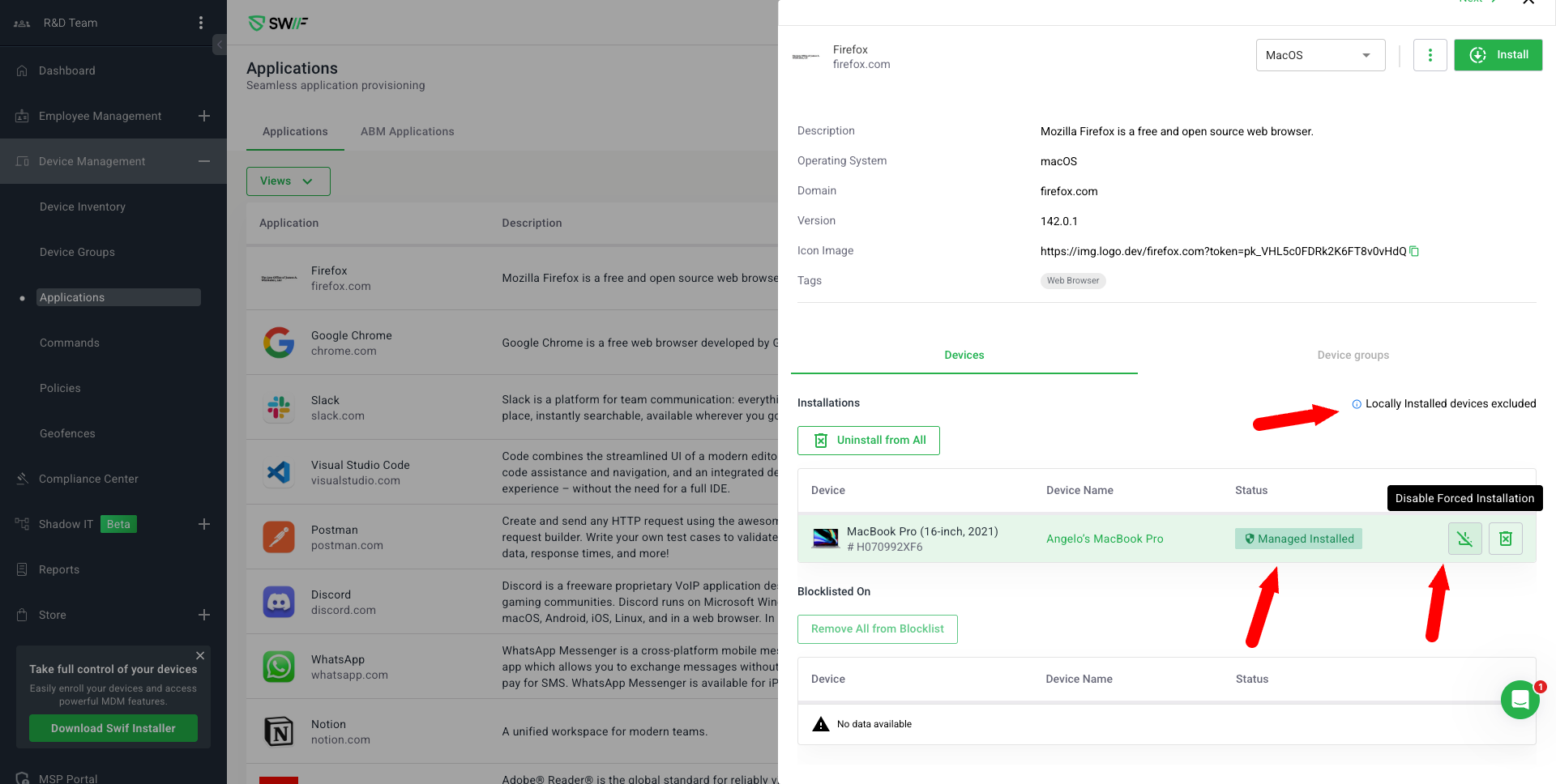
2. Enhanced Admin Controls
Application Details:
Only devices with managed or self-installed apps are shown for each application.
Admins can easily uninstall or disable forced installation for managed apps.
Install Software Modal:
Clearer messaging ensures admins know when an app will be managed-installed.
3. Improved Employee Portal Experience
App Store Restrictions:
Employees cannot remove apps that are required by IT.
Managed-installed apps cannot be uninstalled by users.
Once a user installs an app from the self-service catalog, only admins can uninstall it.
4. Compliance & Audit Support
Separation of App Types:
System, managed-installed, and locally installed apps are now clearly separated in the UI.
This supports compliance requirements (e.g., SOC 2, ISO) by providing clear evidence of app management.
5. Smarter Device Management
Manifest Awareness:
Our system now checks each device’s manifest to ensure only relevant apps are shown as managed.
Locally installed apps are tracked separately for better visibility and control.
Why This Matters
These changes reduce confusion, improve compliance, and make it easier for both IT admins and employees to understand which apps are required, which are optional, and who controls them. It’s a big step forward in making device management more transparent and secure.
Thank you for helping us make Swif better!
If you have feedback or questions, please reach out to our support team.