Geofencing: Select Multiple Countries by Area
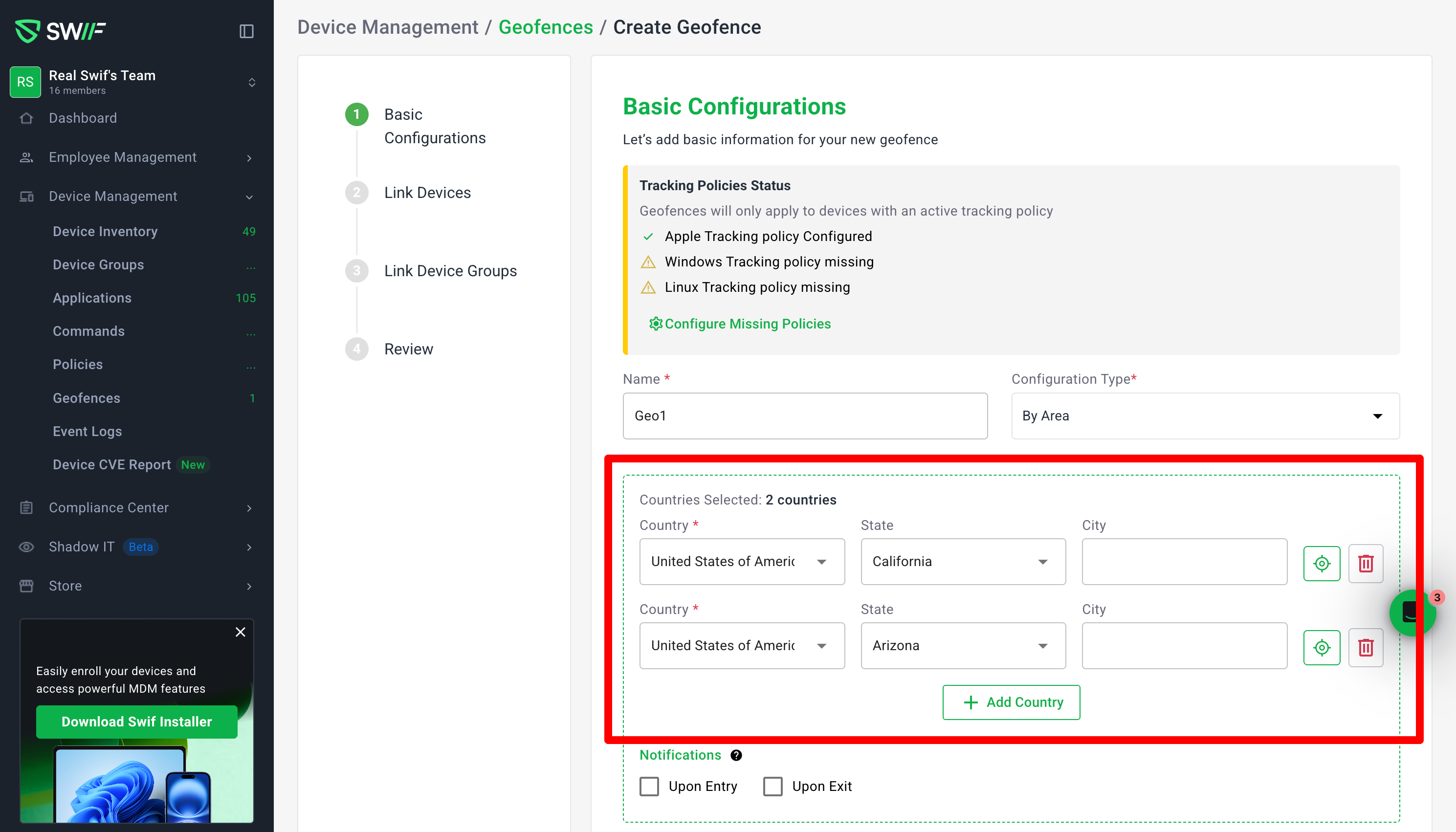
You can now create geofences that span multiple countries/regions in a single “By Area” configuration.
What’s new
Multi‑country selection in “By Area”
Add multiple rows and choose a different country in each (e.g., Vietnam, United States, United Kingdom, Australia).
The header now shows a “Countries Selected” counter that reflects how many countries are actually selected (rows without a country don’t count).
Clear visual highlighting on the map
Every selected country/region is highlighted on the map so it’s easy to see the full coverage of your geofence.
When you remove a country row, its highlight is also removed from the map.
Country / State / City hierarchy
Each row supports:
Country (required for that row)
Optional State (e.g., United States → California)
Optional City (e.g., San Francisco)
The Countries Selected count is based on countries only:
1 row with “United States of America” + “California” still counts as 1 country.
City selections do not change the country count.
“Focus” (zoom) for quality‑of‑life
Each row has a Focus control that zooms the map to that row’s region (country/state/city), making it easier to verify specific locations.
Safer validation behavior
You can’t save a By Area geofence if no row has a country selected—you’ll see an inline error on the Country field (e.g., “Country is required”).
Extra empty rows are allowed and do not affect the country count or block saving, as long as at least one country is selected.
Behavior details & examples
Creating a simple geofence:
1 row with
Country = Vietnam→ header shows “Countries Selected: 1 country” and the map highlights Vietnam.
Multiple countries:
4 rows with
Vietnam,United States of America,United Kingdom of Great Britain and Northern Ireland,Australia→
header shows “Countries Selected: 4 countries”, and all four regions are highlighted on the map.
Editing and deleting:
When you reopen an existing geofence, all previously selected rows and regions are restored.
Deleting a row:
Removes it from the list.
Decrements the country count.
Removes that region’s highlight from the map.
This update supports more complex compliance and security scenarios (like managing access for sanctioned or sensitive regions) while keeping the UI predictable, map‑driven, and easy to audit at a glance.