Event reporting notification settings
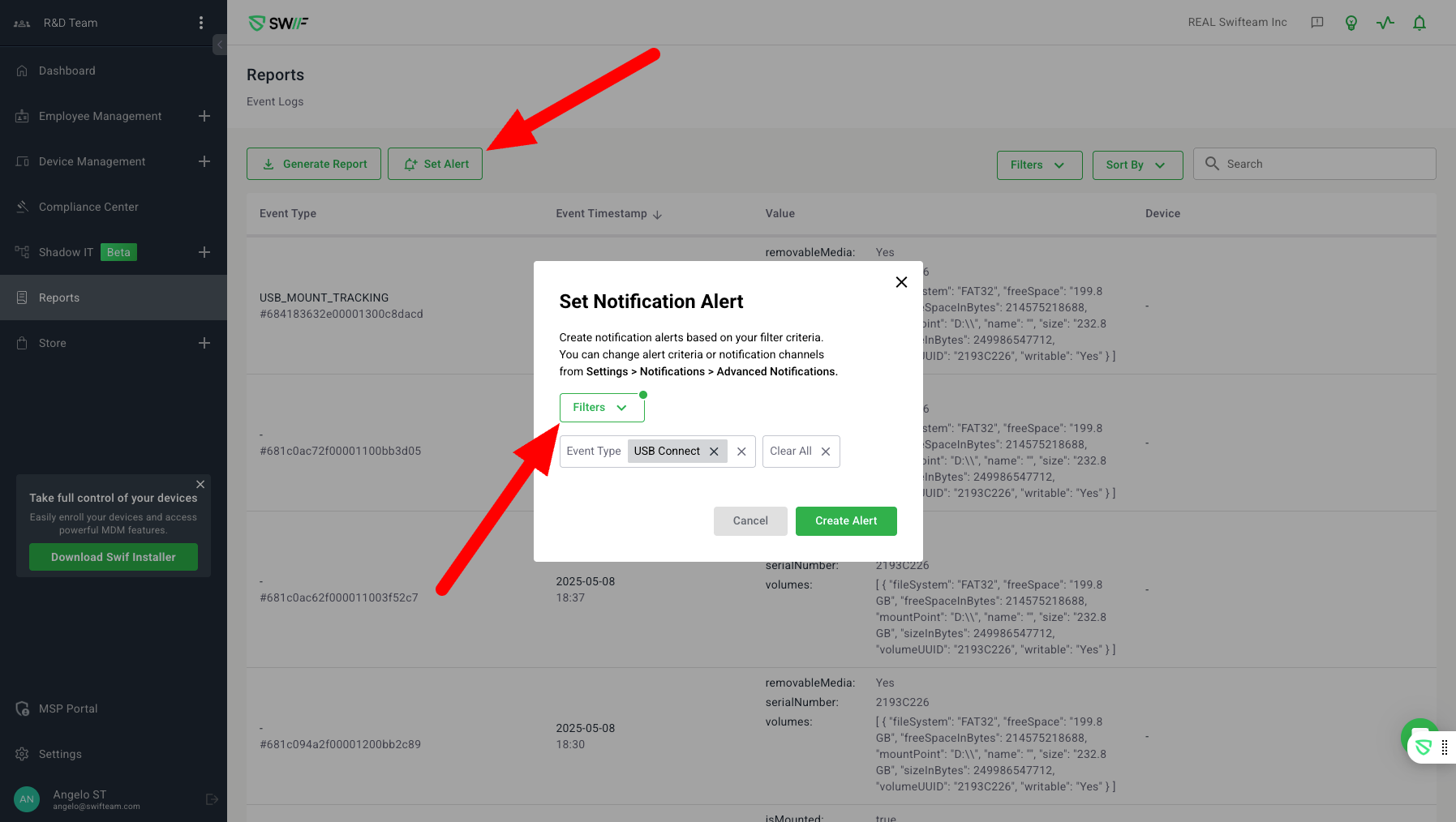
The key features of “Event reporting notification settings” are centered around the configuration and management of event reporting notification settings. Here are the main aspects:
Notification Settings UI & Creation:
Users can navigate to Settings > Notifications > Advanced Notifications to create or edit event log notification alerts.
Alerts can be created for all devices or specific devices/groups.
Filters can be applied based on event type (e.g., USB device, Device lock).
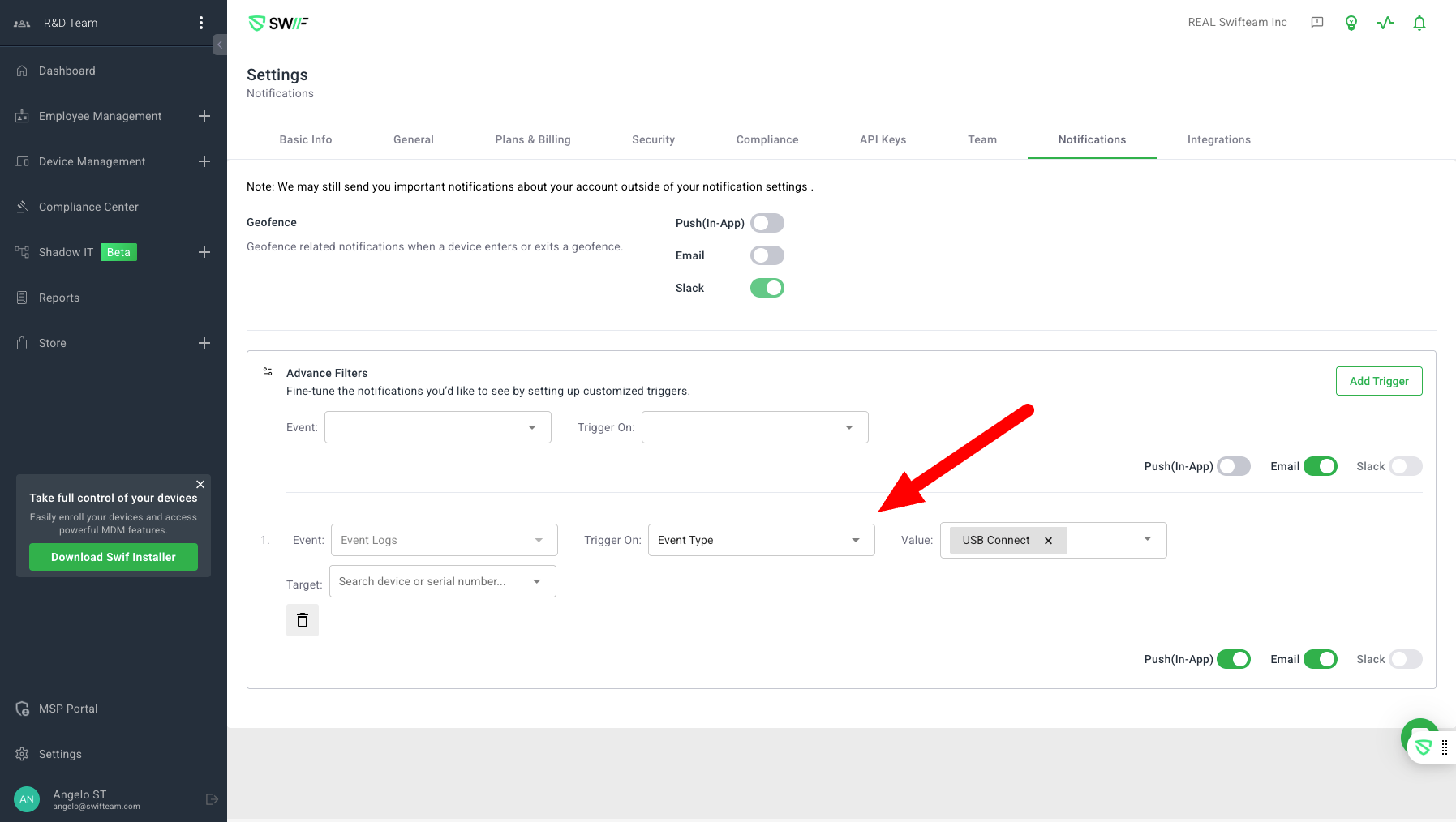
Alert Management:
Users can add or remove filter criteria and delete alerts to stop notifications.
The system supports advanced filtering options, allowing users to set alerts based on specific event types and values.
These features are designed to enhance the flexibility and specificity of event notifications within the web application, allowing users to tailor alerts to their needs.