Customization of compliance controls
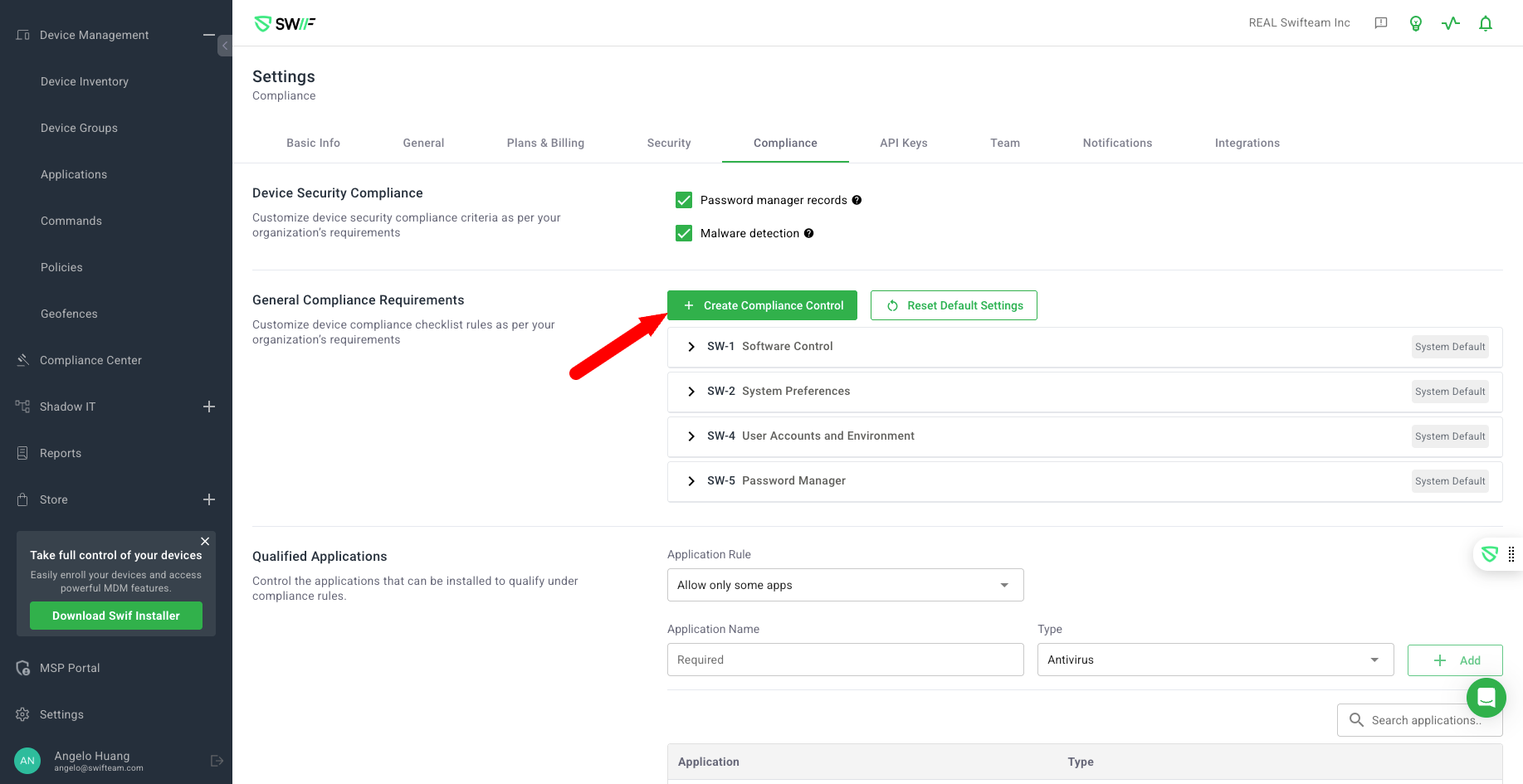
The key features of customization of compliance controls include:
Adding Custom Requirements: Organizations can customize default compliance controls by adding more specific requirements. This includes defining new policies or device specifications, such as requiring a specific OS version or enabling a firewall policy.
Policy and Application Customization: Users can select policy types and requirements, and match applications by value or pattern. This allows for more granular control over compliance settings.
Group-Specific Compliance Rules: Different compliance rules can be set for different user or device groups. This is particularly useful for organizations with varied security needs across departments, allowing for a global baseline with group-specific overrides.
Reset to Default Settings: Organizations can reset compliance controls to default settings while keeping custom controls unchanged. This helps in maintaining a balance between standardization and customization.
Device Compliance Requirement Toggle: When creating or editing a control, you can now choose whether it counts toward device compliance. By default, new controls are included, but you can uncheck this option to have the control appear in the Compliance Center without affecting device compliance status.
Dynamic Compliance Items: If all requirements for a policy or control are removed (for example, deleting all configurations for a software update policy), the related compliance item is automatically removed from device compliance lists. This ensures only relevant controls are shown for each device and operating system.
These features provide organizations with the flexibility to tailor compliance controls to meet their specific security and operational requirements.
For more details, visit Custom Compliance Controls in Swif.