Compliance-Drata - Re-sync on a device
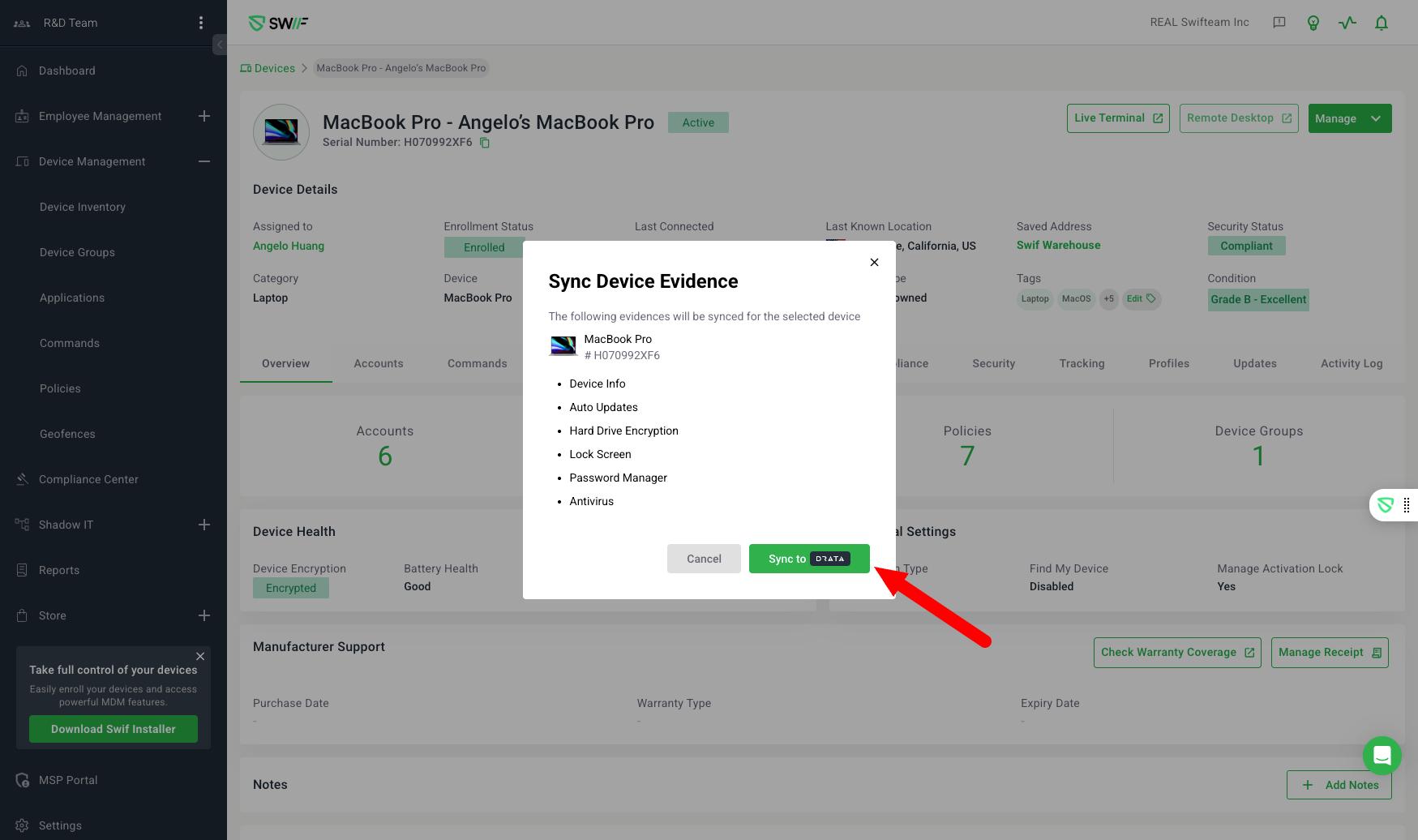
Here are the key features of on-demand syncing to Drata:
Purpose: Adds an on-demand "Re-sync" option for devices integrated with Drata, allowing users to force a full evidence sync for compliance purposes.
Supported Devices: Only works for enrolled laptops and phones with an assigned owner.
UI/UX:
Shows a "Sync to Drata" or "Re-Sync" button depending on device sync history.
Displays a loading dialog while sync is in progress.
Provides in-app notification when sync completes.
If the device owner is not found in Drata, a warning is shown: “Personnel not found in Drata. Please ensure the user is added to the Drata system.”
Evidence Types Synced: Device Info, Auto Updates, Hard Drive Encryption, Lock Screen, Password Manager, Antivirus, Application Block.
Async Process: Sync can take over 10 minutes; users can leave the dialog and will be notified when done.