Clear UX for BYOD‑incompatible policies and device groups
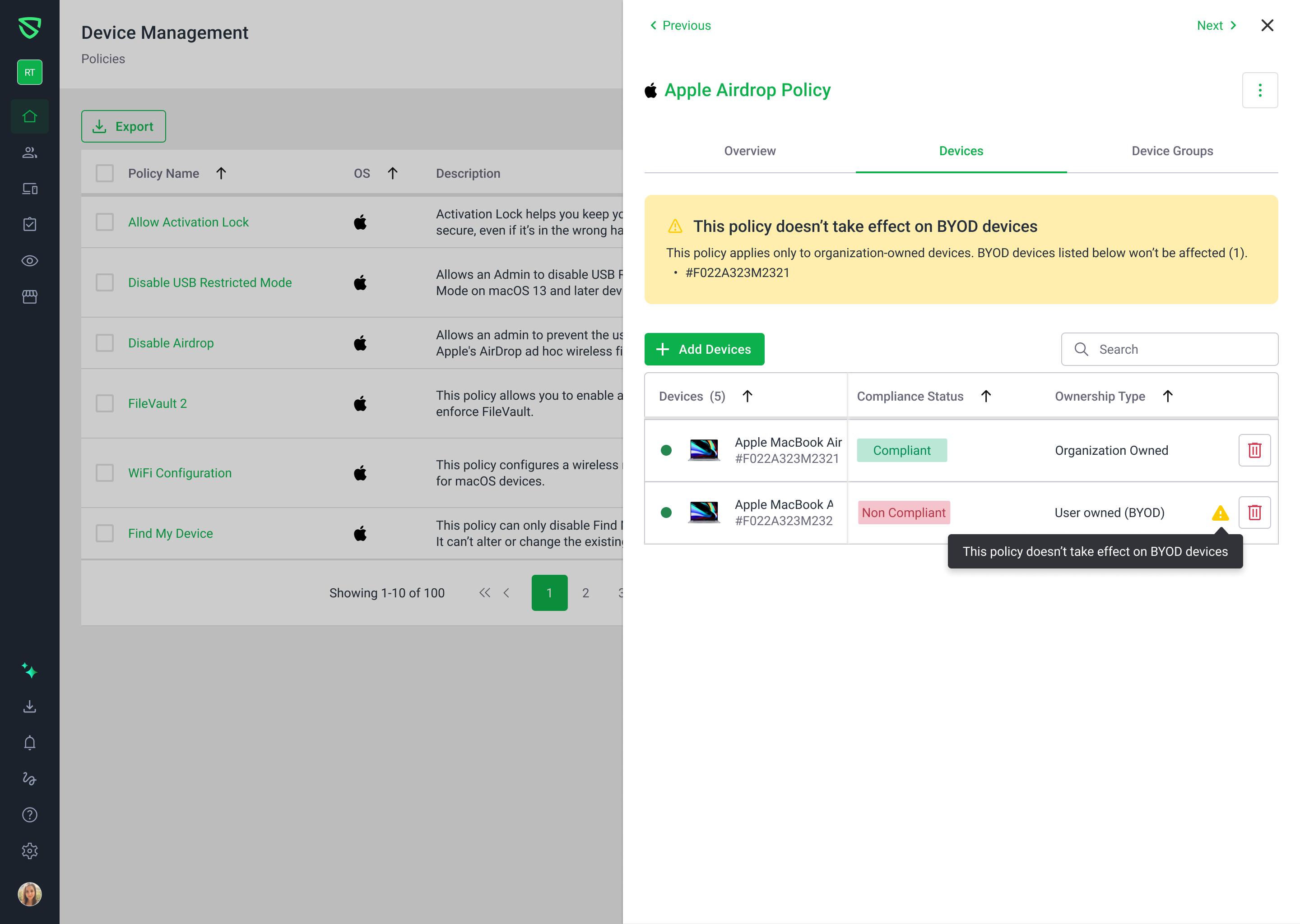
We’ve updated Device Management to make it obvious when a policy does not apply to BYOD devices and to prevent misconfiguration:
Policy creation
When creating a policy that doesn’t support BYOD, BYOD devices are now disabled in device pickers.
In the Select device groups step, if a group contains BYOD devices, we show an attention box explaining that the policy won’t apply to those BYOD devices.
The “No. of devices” column has been renamed to “Devices” and now shows a clear breakdown of org‑owned vs BYOD device counts.
Policy details
In the Devices tab, BYOD devices are disabled in the Add devices modal for BYOD‑incompatible policies.
When BYOD devices are attached to a BYOD‑incompatible policy, we show:
An attention box explaining that the policy can’t be applied to BYOD devices.
An inline warning status next to each affected BYOD device.
In the Device groups tab (and Add Device Groups modal), if groups contain BYOD devices, we display an attention box that the policy does not apply to BYOD devices in those groups.
Device groups
When creating a device group, selecting a BYOD‑incompatible policy now surfaces an attention box so admins understand those policies won’t affect BYOD devices in the group.
In Device Group details → Policies, we show an attention box whenever a group with BYOD devices has BYOD‑incompatible policies assigned.
These changes reduce the risk of silently misconfigured BYOD setups while keeping org‑owned devices fully supported.