Changelog: VPP Assignment – Managed Apple ID Improvements
Release: 2025-11-24
Key Features & Enhancements
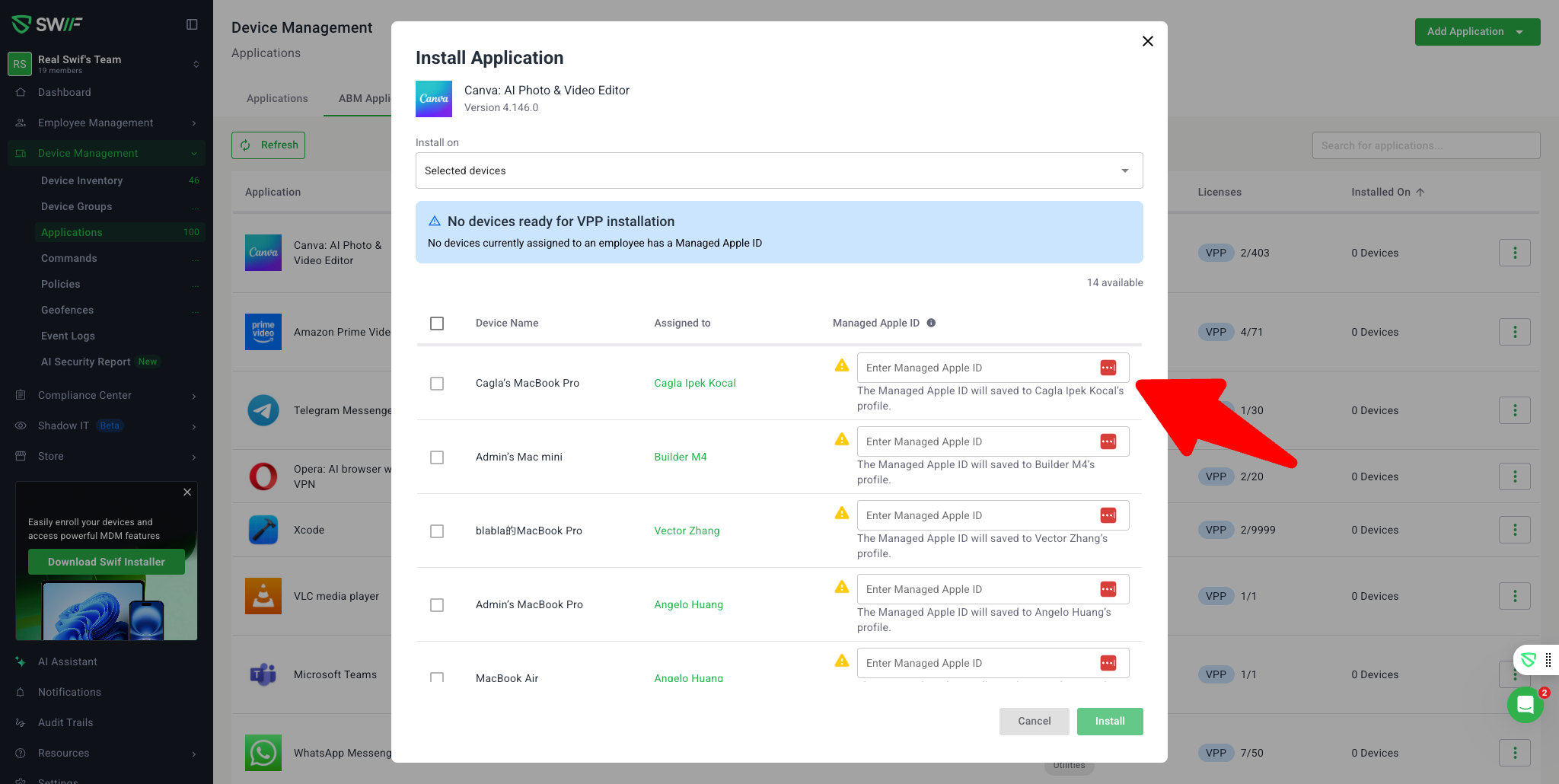
1. Managed Apple ID Field in VPP Assignment
New Input Field: Added a dedicated Managed Apple ID input field to the VPP app assignment step for macOS, iOS, and iPadOS devices.
Improved UI/UX:
If a device’s assigned employee already has a Managed Apple ID, it is pre-filled and visible.
If missing, admins are prompted to enter the Managed Apple ID directly in the assignment flow.
Devices without an assigned employee show “-” and cannot be selected for VPP assignment.
2. Assignment Logic & Validation
Eligibility Enforcement:
Only devices with both an assigned owner and a valid Managed Apple ID are selectable for VPP app installation.
Devices missing either are disabled, with hints and warnings provided.
Mandatory Save:
Entered Managed Apple IDs are saved to the employee profile and used for future assignments.
VPP app assignment cannot proceed unless the Managed Apple ID is present and saved.
3. Admin Experience & Compliance
Streamlined Workflow:
Admins can now efficiently assign VPP apps, with clear guidance and validation at each step.
Customer-Requested Clarity:
Changes ensure compliance with customer requests and MDM best practices, reducing confusion about Managed Apple ID usage.