Changelog: Shadow IT – Notifications about Post-departure Access Detection
Release Date: 2025-10-28
Overview
This update introduces enhanced detection and notification features for identifying ex-employees who still have active access to third-party applications, helping admins quickly mitigate post-departure security risks.
Key Features
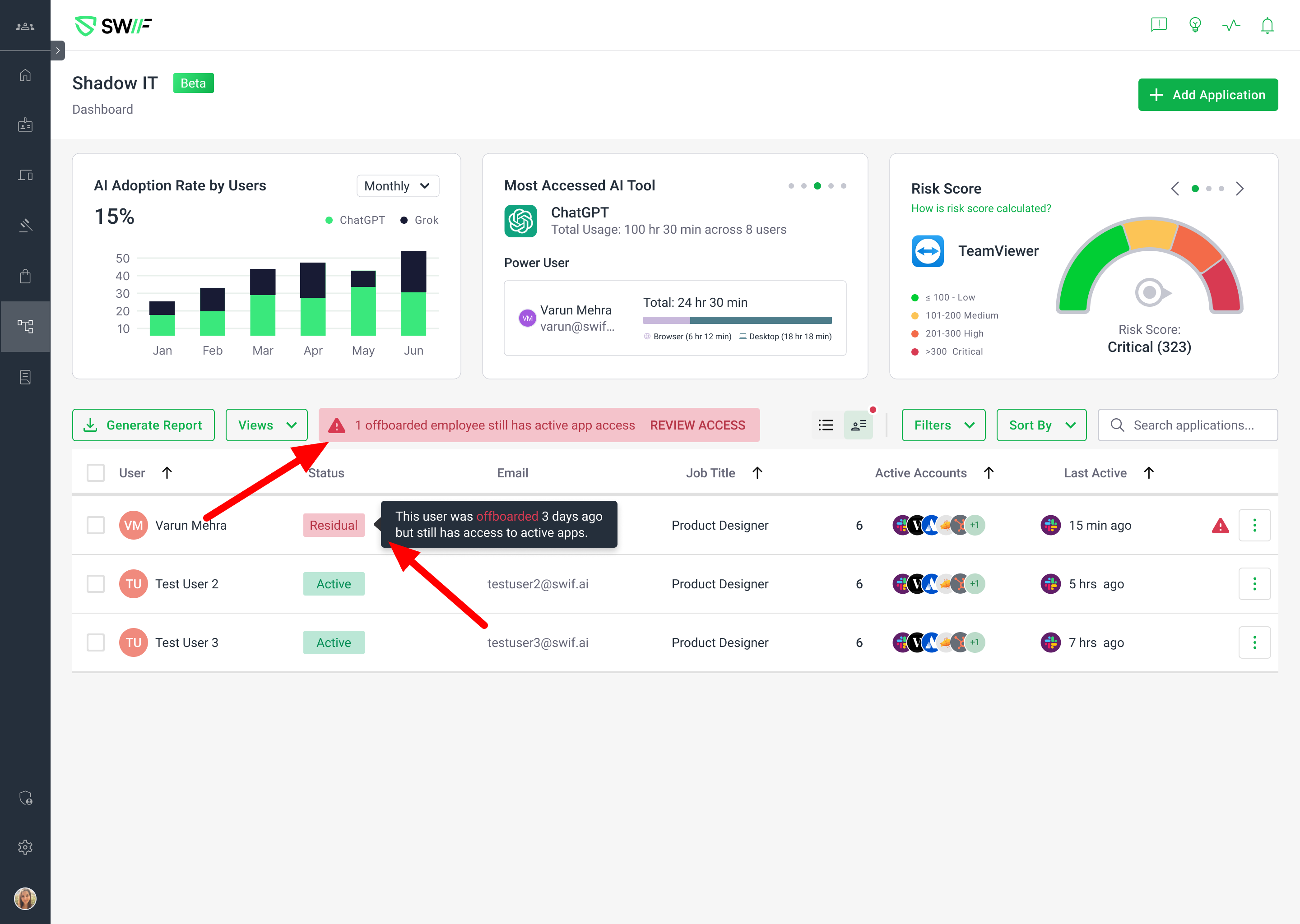
Detection of Offboarded Employees with Active App Access
The system now continuously monitors and highlights ex-employees who retain access to apps via
AZURE_SSO,GOOGLE_SSO,API_MANAGED, orBROWSER_EXT_TRACKEDsources, even after their Swif account is disabled.These users are prominently displayed at the top of the Shadow IT User list, with a red status dot on the "By user" icon for quick identification.
Actionable Alerts and Notifications
Admins receive in-app alerts when an offboarded employee still has access to active apps.
Alerts specify how many days ago the user was offboarded and how many apps remain accessible.
A "Review Access" button allows admins to quickly investigate and take action.
Quick Remediation: "Revoke All"
A new "Revoke all" action enables admins to instantly revoke all app access for ex-employees, leveraging auto-deprovisioning for supported integrations.
For apps that do not support auto-deprovisioning (e.g.,
ADMIN_MANAGED), manual intervention is still required.
Login Attempt Monitoring
The system tracks and displays recent login attempts by ex-employees, providing additional context for risk assessment.
UI/UX Enhancements
Warning indicators and attention boxes have been added and refined for clarity.
For multiple affected employees, the UI highlights relevant rows in the table for easy review.
The warning attention box can be dismissed once all issues are resolved.
Terminology and Status Improvements
The term "Residual" is now used to indicate remaining app access for offboarded employees.
Clarified the distinction between "INACTIVE" (employees with active app access) and "DEACTIVATED" (no active app access).