Azure, Okta, Google Workspace, and Deel - Import screen revamp
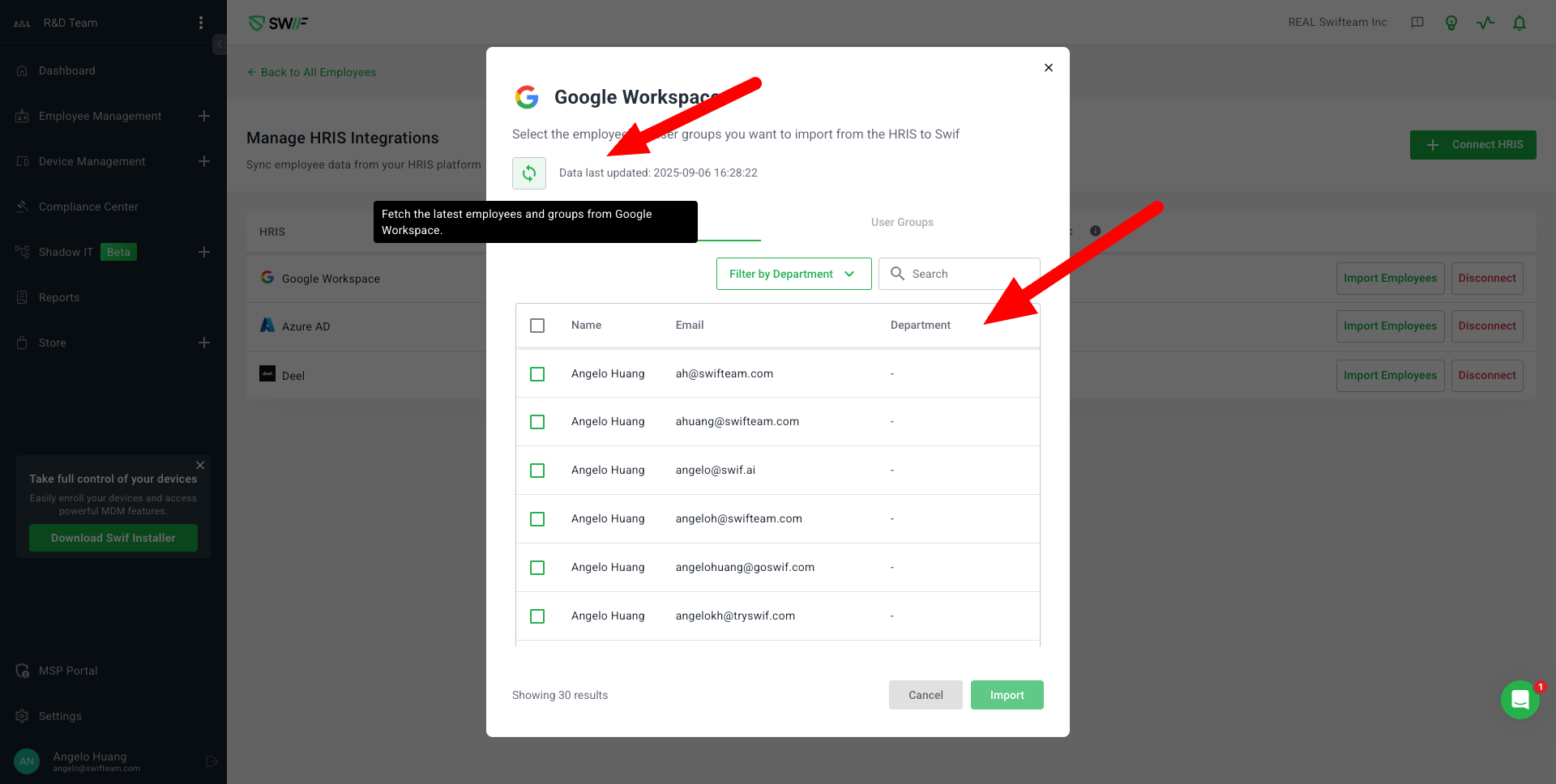
Key Features & Changes
1. Import Screen Revamp for HRIS Integrations
Applies to Azure, Okta, Google Workspace, and Deel.
Major UI/UX improvements for the employee import process.
2. Status and Button Label Updates
Changed button label from “Sync” to “Import employees” for clarity.
3. Enhanced Table and Data Display
Updated table style to match new designs.
Added columns for title and department (where available).
Added filter by department for easier user selection.
Added “User selected” indicator and moved the “Show result” button to the bottom.
4. Tooltips and User Guidance
Added tooltips for the new status (“Pending review”) and for the “Sync” button.
Tooltip provides clear explanations for users.
5. Improved Sync and Import Experience
Added a “Sync” button to fetch the latest data from HRIS.
Displays a skeleton screen and toast notification while fetching data.
Shows “Data last updated” timestamp after sync (if available).
6. User Group Import Enhancements
Updated table style for user group import, including expanded views.
Only displays an attention box if a selected user group contains members without names.
Added “User group selected” indicator and moved the “Show result” button to the bottom.